Find the landing facility, contact Air Traffic Control, wait for an assignment, then approach the marked pad or hangar with your gear down. A city landmark and your assigned landing area are not the same destination.
Request landing clearance
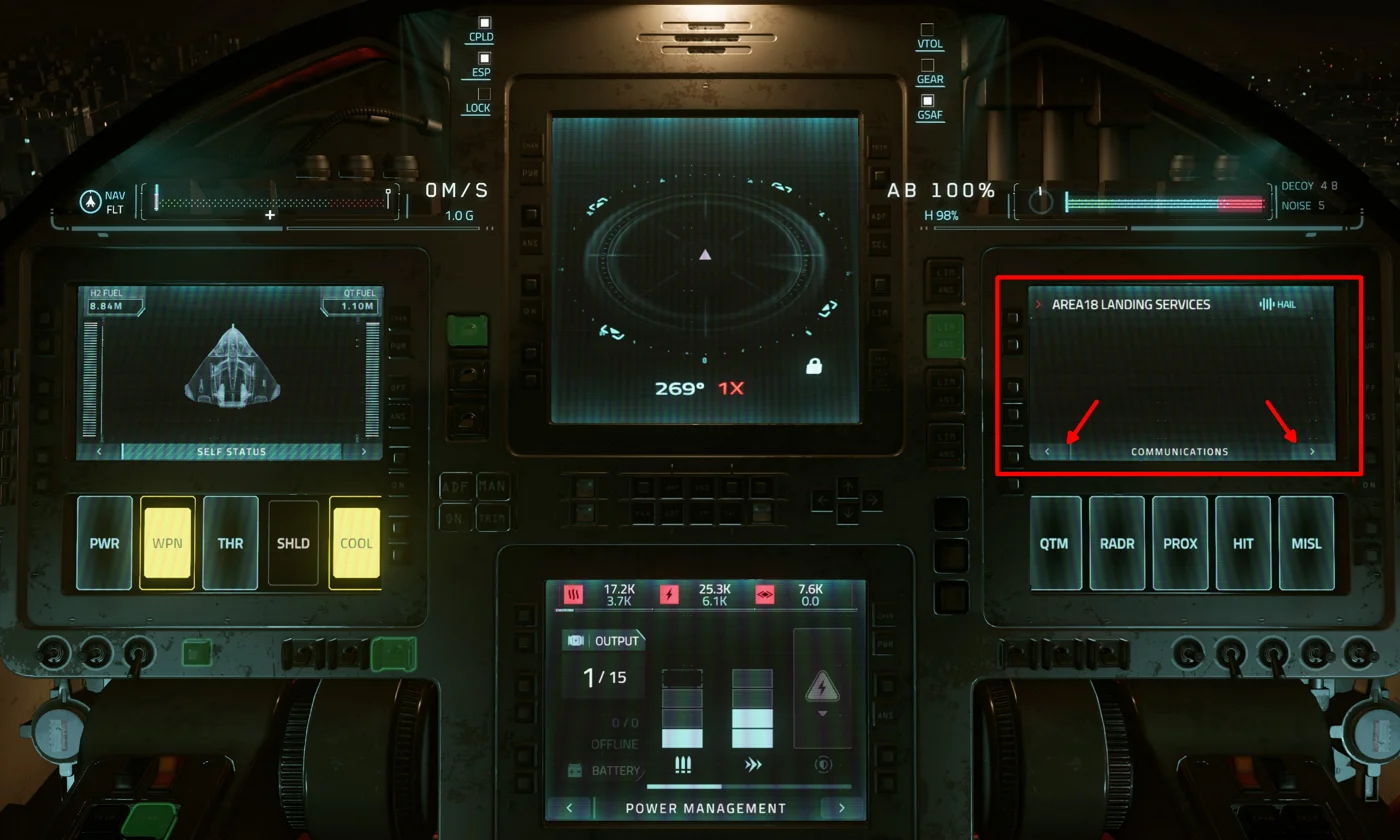
RSI’s landing guide describes contacting Landing Services through a communications MFD, mobiGlas Commlink, or the documented default shortcut Left Alt + N. Check the current binding if you use a custom control profile.
Wait until you are near the actual spaceport. The guide gives a typical contact range of about 5–7 km. Read the resulting response: being close enough to request clearance does not mean a hangar has already been assigned.
Find the assigned marker
- Locate the facility. Follow the spaceport markers rather than descending toward an arbitrary part of the city.
- Contact ATC and read the response. Busy facilities may queue a request.
- Identify the assigned pad, hangar or docking port. Use the new marker, not a nearby opening that happens to look suitable.
- Check the entrance orientation. Work out whether the approach is horizontal or vertical before moving close.
If the marker is difficult to identify, pause at a manageable distance and look around. Several neighbouring entrances can look similar when you are focusing on the ship’s nose instead of the assignment.
Make a controlled approach
Lower the landing gear and reduce speed early. RSI’s instructions use N as the default gear control and describe adjusting the speed limiter for fine movement. The keybinding guide helps you match those actions to your own setup.
Choose one reference point at a time: align with the entrance, clear its edges, then position above the landing surface. Small corrections are easier to understand than simultaneously changing heading, altitude and forward speed. A third-person view can help you inspect clearance, but still watch the actual motion of the ship.
Landing problems: check the stage
| Symptom | First check |
|---|---|
| ATC is absent | Your distance from the actual landing facility and the selected communications page. |
| No assigned marker | The request response or queue state. |
| Restricted-area warning | Your route relative to the authorized landing area. |
| Difficult fine movement | Your speed setting, active flight mode and bindings. |
RSI distinguishes landing in a hangar from docking a larger ship to a port. Follow the interface for the assignment you received. Do not treat a docking prompt as an instruction to squeeze into a nearby hangar.
After touchdown
Look for the landing confirmation and check your next task before leaving the cockpit. If you need fuel, repairs or ammunition, the ship-services guide covers the next screen. If you are finishing the trip, note the facility and hangar so you can find the ship again.
To practise the complete loop, combine this with the New Babbage departure route and a short quantum journey.
Official sources
Researched from RSI documentation checked on 15 November 2026. Controls and alpha systems may change; use the current in-game prompts and source articles.